You're onboarding someone: a new finance hire, a support contractor, an engineer joining the payments squad. You open the Stripe Dashboard, click into Team settings, hit "New member", and there it is: a dropdown of Stripe roles with names like Analyst, Accountant, Refund Analyst, Dispute Analyst, Support Specialist.
You know roughly what this person needs to do. Often you know something even more precise: exactly what they should not be able to touch, whether that's payout settings for a contractor or API keys for anyone outside engineering. What you don't know, off the top of your head, is which of Stripe's standard roles maps to that. We built two free tools to answer that question: userrolemapper.com, and a Stripe App that does the same job from inside the Dashboard.
The problem with assigning a Stripe role
Stripe's permission model is thorough, which is exactly why it's hard to hold in your head. Dozens of individual permissions span categories from Payments and Payouts through to Connect and API keys, and each of the standard roles bundles a different, overlapping subset.
The documentation is organised by role. Pick one, and Stripe's roles reference will tell you what it can and can't do. But you're starting from the opposite end, with a set of requirements rather than a role name. Turning "must handle refunds, must never touch bank details" into the right role means reading through role after role, keeping a mental scorecard as you go.
So people make a sensible-looking guess, and the mismatch surfaces weeks later: the finance hire who can't pull the report they need, or the contractor with access to settings nobody intended them to see. Both directions are costly. Over-provisioning is a security and compliance risk; many regulatory frameworks require least privilege as a baseline control. Under-provisioning means a slow drip of access requests until the role gets widened past what you intended. The right role gives the person enough access to do the job without friction, and no more.
A free tool that does the matching for you
We are Square1, the world's first Stripe verified partner, and we work with Stripe users daily, from hands-on engineering to advisory engagements. "Which role should this person get?" came up often enough that we built userrolemapper.com to answer it properly, once.
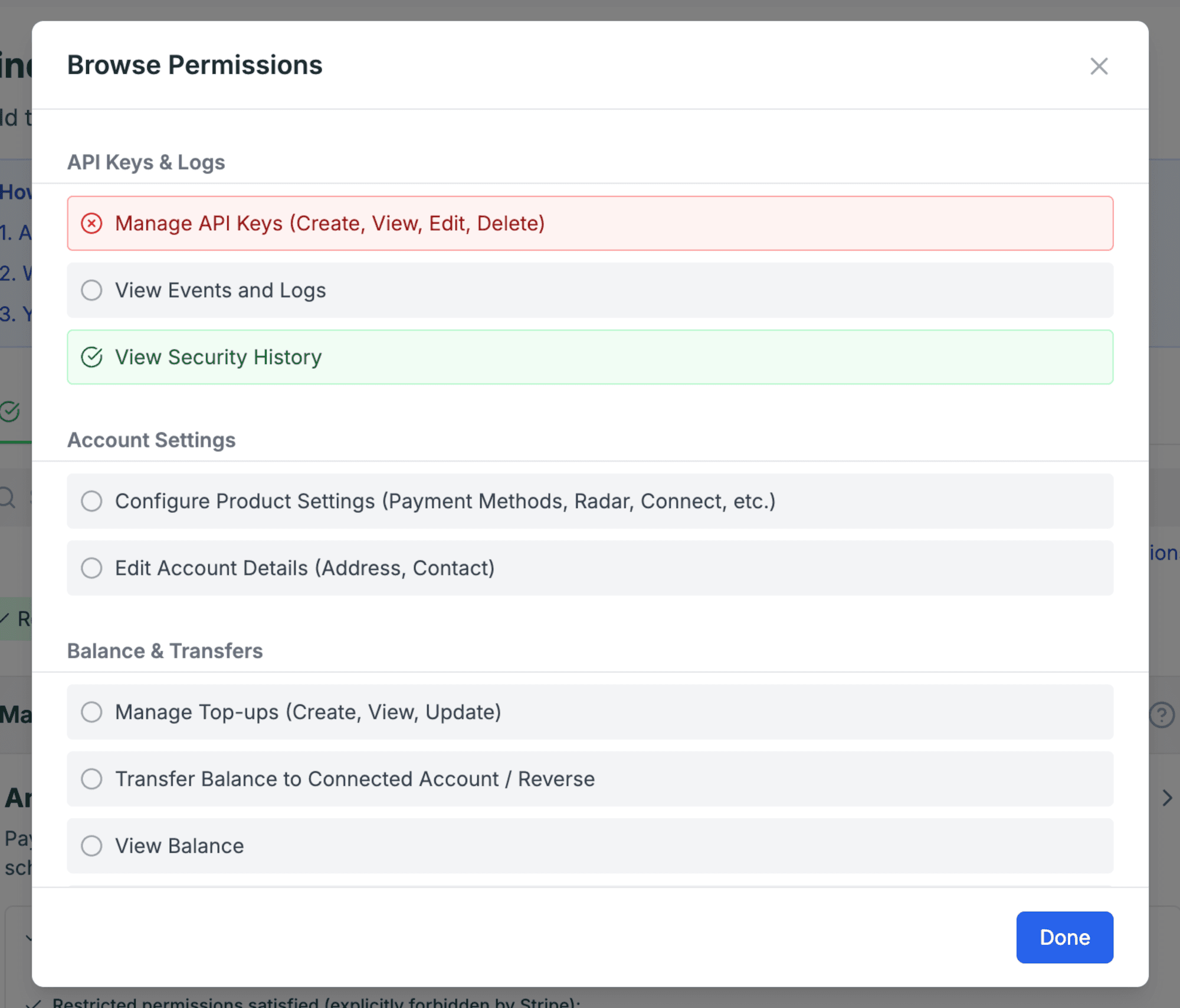
The tool works from your requirements instead of the role list. Mark the permissions the person must have as Allowed, the ones they must not have as Restricted, or query on just one side. Add as many or as few filters as you like. With each permission you add, the tool re-evaluates every standard Stripe role and shows ranked matches, each with a status badge, a plain description, expandable detail, and a link to that role's official Stripe docs.
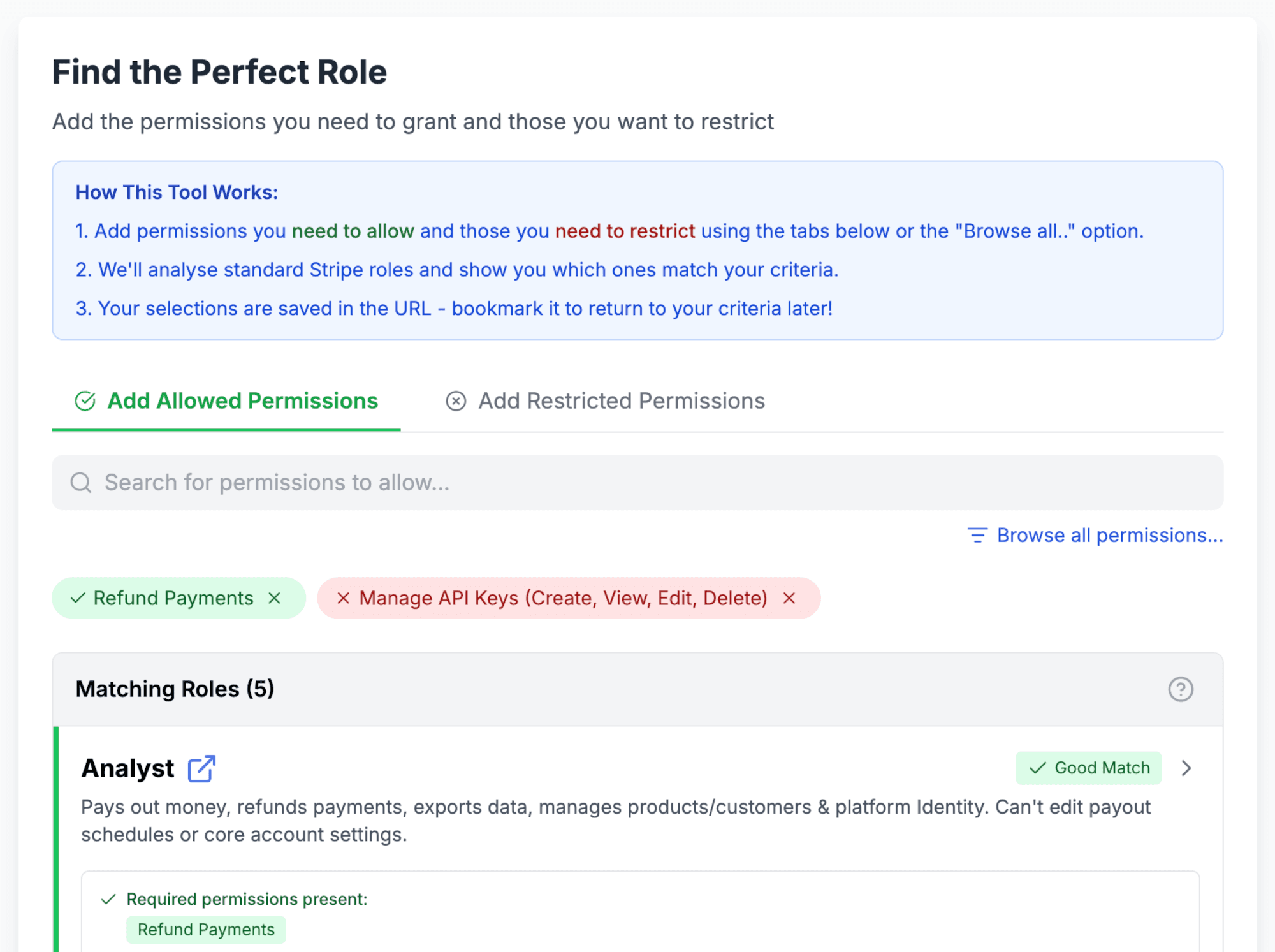
Good Match means every criterion is met. Missing Required means the role lacks something you marked as Allowed. Needs Verification appears when a restriction is satisfied only because Stripe's documentation doesn't mention that capability for the role, rather than explicitly ruling it out. We flag that rather than hand you a false guarantee. Roles that conflict with one of your restrictions are hidden entirely.
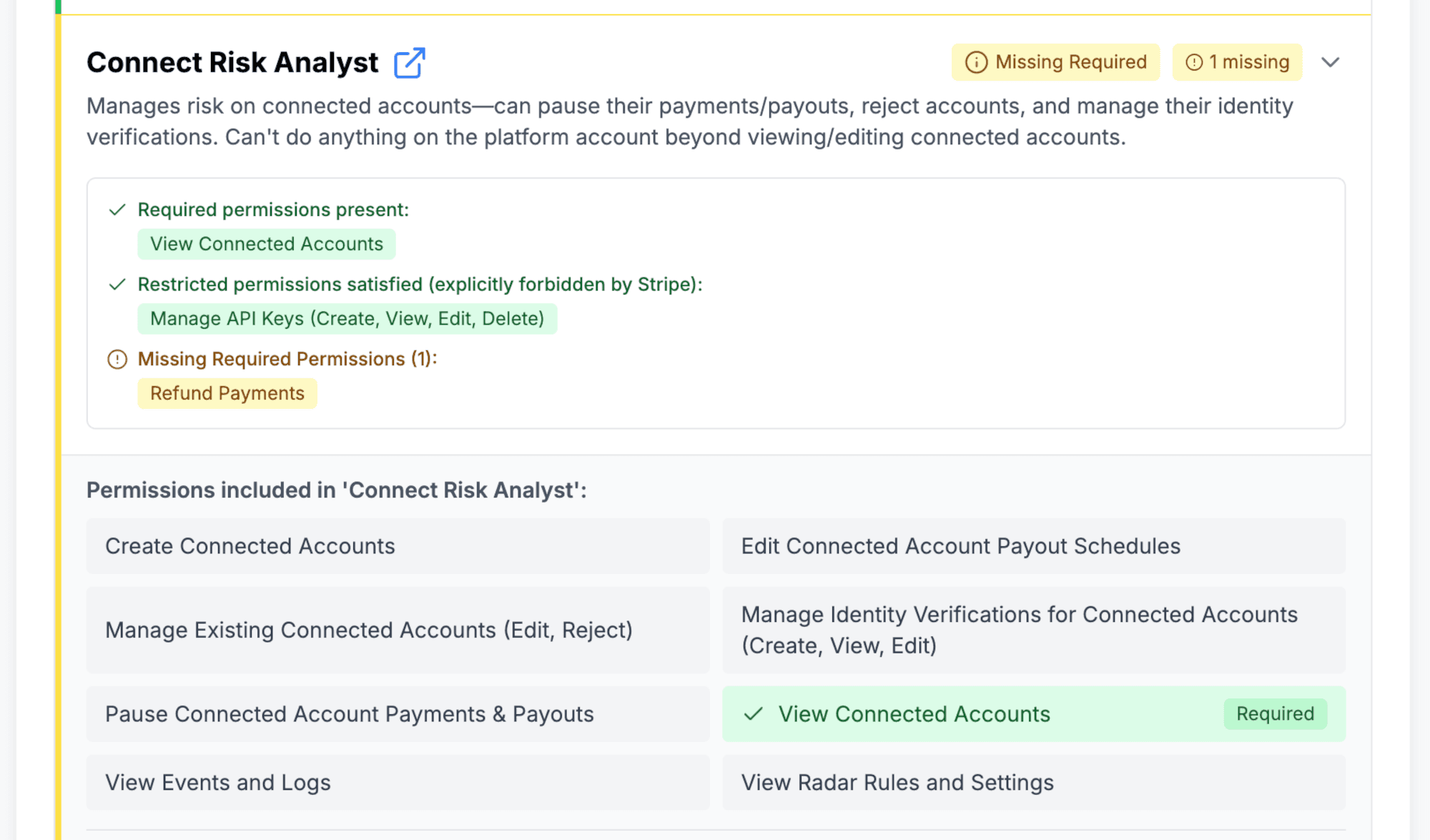
Everything runs in your browser: no signup, no Stripe connection, no API keys, no data collection, no backend. Your selections are encoded into the URL, so an access profile is bookmarkable and shareable: work out the setup for a new finance hire and send a colleague the link. The output is a recommendation, and Stripe's official roles reference remains the source of truth.
The same tool, inside your Stripe Dashboard
The website still means switching tabs, so we ported the same matching engine into a Stripe App: "User Role Mapper", published on the Stripe App Marketplace and installable in live accounts and sandboxes. It opens in the Dashboard's side drawer, so the recommendation sits alongside Team settings while you're actually sending the invite.
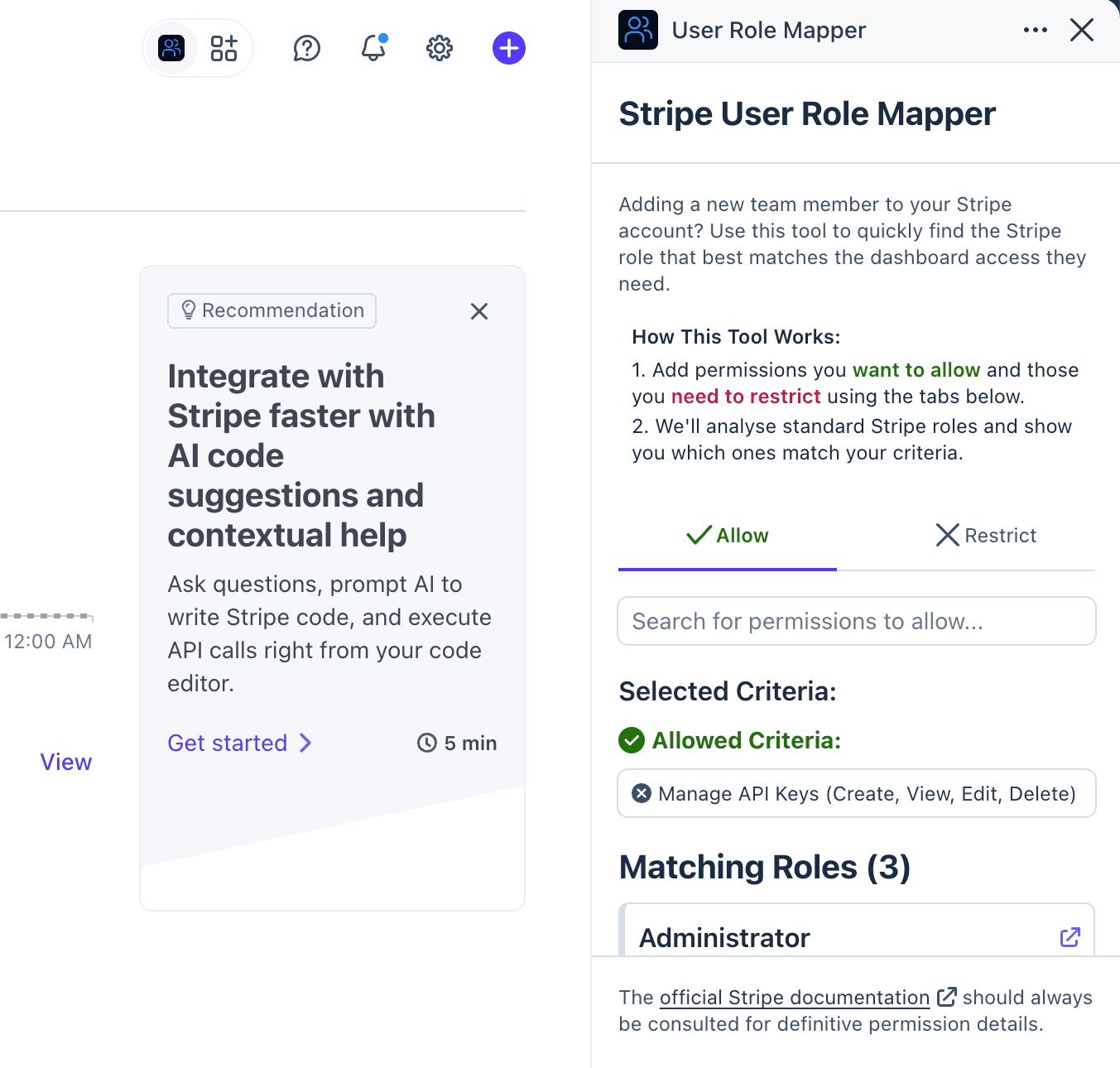
On install, it asks for nothing: the app's manifest requests zero permissions. It reads none of your Stripe data and makes no API calls or external network requests. That's the same least-privilege thinking this post is about, applied to the tool itself: check what any app can access before you approve it. Here, there's nothing to check, because nothing was granted.
Which one should you use?
They share the same engine, so pick based on where you are. The website suits planning ahead of time, or sharing a proposed access profile with a colleague for sign-off. The app suits the moment you're already in Team settings, mid-invite, and want the answer without leaving the page.
Get the right person the right access
Stripe's permission model is detailed because payments infrastructure needs it to be. That level of care is a feature; it just shouldn't cost you twenty minutes per invite.
If you're building on Stripe, whether that's scaling a team, planning an integration, or untangling an existing one, get in touch. Stripe implementation support is what we do, and has been since we became the world's first Stripe verified partner.
Assigning a Stripe role shouldn't be a high stakes guessing game. Now it doesn't have to be!
Need help with your wider setup? Our Stripe advisory service and integration reviews help teams work through architecture and operational questions.